

There's a moment in every growing SaaS or services company where the math stops working. You had 40 accounts and three CSMs, and everything felt personal. Then you crossed 400 accounts with the same three CSMs, and suddenly the "success" part of customer success is mostly reminders, renewal chasing, and a lot of copy-pasted emails that customers have started ignoring.
The default reaction is to automate everything. Turn on the sequences, wire up the health scores, blast the check-ins. And it works for about a quarter — until customers start replying with "please stop emailing me" or, worse, they stop replying at all and then churn without warning. That's the trap of one-to-many done badly: you scale the volume of touches without scaling the judgment behind them.
Scaling one-to-many customer success well is really a systems problem. It's about how tiering, consolidated playbooks, and automation suppression rules fit together so that a small team can cover a large book without customers feeling like they've been dropped into a machine. Here's how the pieces connect, where they break, and what a better setup actually looks like.
The real problem isn't coverage — it's undifferentiated coverage
Most teams frame the challenge as "we don't have enough CSMs for all these accounts." That's true, but it's the surface issue. The deeper problem is that they're treating a $4k/year account and a $90k/year account with roughly the same motion, just spread thinner across both.
-
High-value accounts get generic treatment because the CSM is drowning, so the $90k customer gets the same automated onboarding drip as everyone else and quietly feels unimportant.
-
Low-value accounts get too much attention relative to their revenue, because someone set up a cadence years ago and nobody ever throttled it.
Both failures trace back to the same missing layer: segmentation that actually drives how you engage, not just how you report. Tiering that only lives in a dashboard — "here are our Tier 1 logos" — does nothing. Tiering has to change the playbook, the automation intensity, and the escalation rules, or it's just a color-coded spreadsheet.
Segmentation-driven tiering: the part everyone gets half-right
Almost every team has some tiering. The mistake is tiering on a single dimension — usually ARR — and then wondering why it doesn't predict anything useful. A $50k account that's a perfect fit and expanding is nothing like a $50k account that bought under pressure and barely logs in. Same revenue, completely different motion required.
Never miss a customer touchpoint again.
Rellyly helps you manage contacts, tasks, and sales efficiently in one platform.
- Unified customer profiles
- Automated follow-ups
- Sales pipeline tracking
No credit card required
-
Revenue / expansion potential — current ARR plus a rough read on whitespace.
-
Risk — adoption depth, sponsor stability, support load, contract timing.
-
Strategic value — logo weight, reference potential, market segment you're trying to break into.
Here's a simplified version of how that maps to engagement models:
| Tier | Rough profile | Human touch | Automation intensity | Escalation trigger |
|---|---|---|---|---|
| Tier 1 | High ARR or high strategic value | Named CSM, quarterly business reviews, direct line | Light — used for reminders only | Any health dip → CSM same day |
| Tier 2 | Mid ARR, moderate risk | Pooled CSM, scheduled check-ins | Medium — templated but personalized | Two consecutive missed milestones |
| Tier 3 | Low ARR, high volume | Digital-only, no named owner | Heavy — but suppressed aggressively | Product usage collapse or churn signal |
| Tier 4 | At-risk / low fit | Reactive only | Minimal — winback triggers only | Renewal window + low usage |
The thing to notice: automation intensity is inversely related to human touch, but suppression rules get stricter as automation gets heavier. That inverse relationship is the whole game. Tier 3 gets the most automated messages, so it also needs the tightest rules on when not to send them — otherwise you burn the exact accounts that have no human relationship to fall back on.
The mistake: tiers that never move
Teams set tiers once during a planning offsite and then treat them as permanent. In reality accounts drift constantly. A Tier 3 account that suddenly adds three teams and doubles usage should get promoted before the renewal, not after. If your tiering only recalculates annually, you're always reacting late. Tiers should recompute on a rolling basis, even if the review is monthly.
Playbook consolidation: fewer, sharper plays beat a library nobody uses
The second thing that breaks at scale is playbook sprawl. Every CSM who's ever left behind a "great onboarding email" and every manager who ran a QBR they liked adds to the pile. Eventually you've got 40 sequences, half of them overlapping, and nobody knows which one to use for a mid-market renewal at risk.
Consolidation isn't about deleting content — it's about collapsing variations into a small number of canonical plays, each with clear entry and exit criteria. In practice, the useful number is usually somewhere between six and ten core plays for an entire CS org. Onboarding. Adoption push. Expansion nudge. Renewal. Risk remediation. Winback. A couple of variants keyed to tier. That's basically it.
-
One owner per play. Someone is responsible for keeping the renewal play current. Not a committee.
-
Entry/exit criteria written in plain language. "Enters when health drops below 60 for 14 days; exits when usage recovers or account escalates." Vague triggers create overlap.
-
Tier-specific intensity baked in, not separate plays. The renewal play is one play; the tier just changes how much automation vs. human touch runs inside it.
One owner per play.
The insight most teams miss: playbook sprawl and automation over-sending are the same disease. When you have too many plays, accounts get enrolled in three of them at once, and the customer receives a check-in email, an NPS request, and a "we noticed you haven't logged in" note in the same 48 hours. Consolidation is the prerequisite for suppression working at all.
Automation suppression policies: the layer that saves the relationship
This is the piece that separates teams who scale gracefully from teams who scale into a wall of unsubscribes. Suppression policies are the rules that decide when not to fire an automated touch, even though the trigger technically fired.
Think of it as a governor sitting on top of all your sequences. Before any automated message goes out, it checks a few things:
-
Recency — has this contact already received a message in the last X days? If so, hold.
-
Channel load — how many total touches (email, in-app, SMS) has this account absorbed this week across all plays?
-
Active human thread — is a CSM already in a live conversation with this account? If yes, suppress the automation entirely. Nothing kills trust faster than an automated "just checking in!" landing in the middle of a real support crisis.
-
Sensitive state — open escalation, recent outage, active renewal negotiation, or a churn conversation in progress.
That third and fourth point are where most teams have nothing at all. Their sequences fire based on the individual play's logic without any awareness of what else is happening on the account. The result is the classic horror story: a customer who just emailed an angry note about a bug gets an automated NPS survey four hours later.
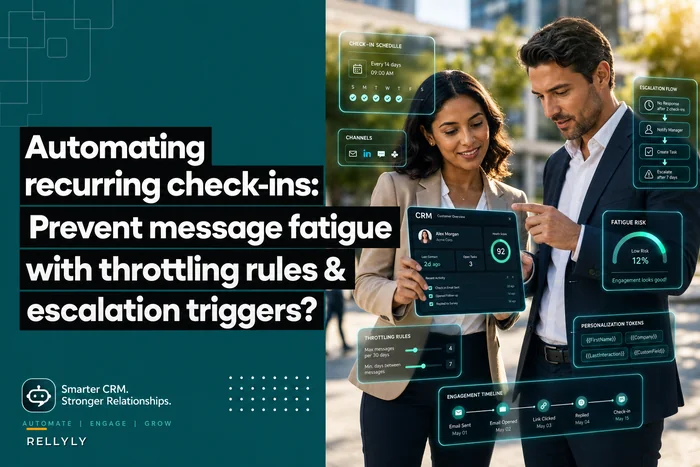
We've written before about the mechanics of throttling and escalation triggers in automating recurring check-ins without burning customers, and suppression policies are essentially that idea applied across every play at once, not just check-ins. The principle is the same: the system needs a global view of touch load, not a per-sequence view.
A simple suppression policy you can actually implement
-
Global cap no more than 2 automated touches per contact per week, 3 per account.
-
Cooldown minimum 4 days between any two automated messages to the same person.
-
Hard mute on open escalations any account with an open Sev-1 or Sev-2 support case gets all non-essential automation paused until the case closes plus 48 hours.
-
Renewal blackout during the 30 days before a renewal, marketing-style automation is suppressed; only renewal-specific touches run.
-
Human override always wins if a CSM is in an active thread, automation to that account pauses for 5 business days.
The point isn't the exact numbers — it's that these are decisions you make once, at the policy level, instead of hoping every individual sequence gets it right.
Here's a simple workflow for how suppression checks should run before automation fires.
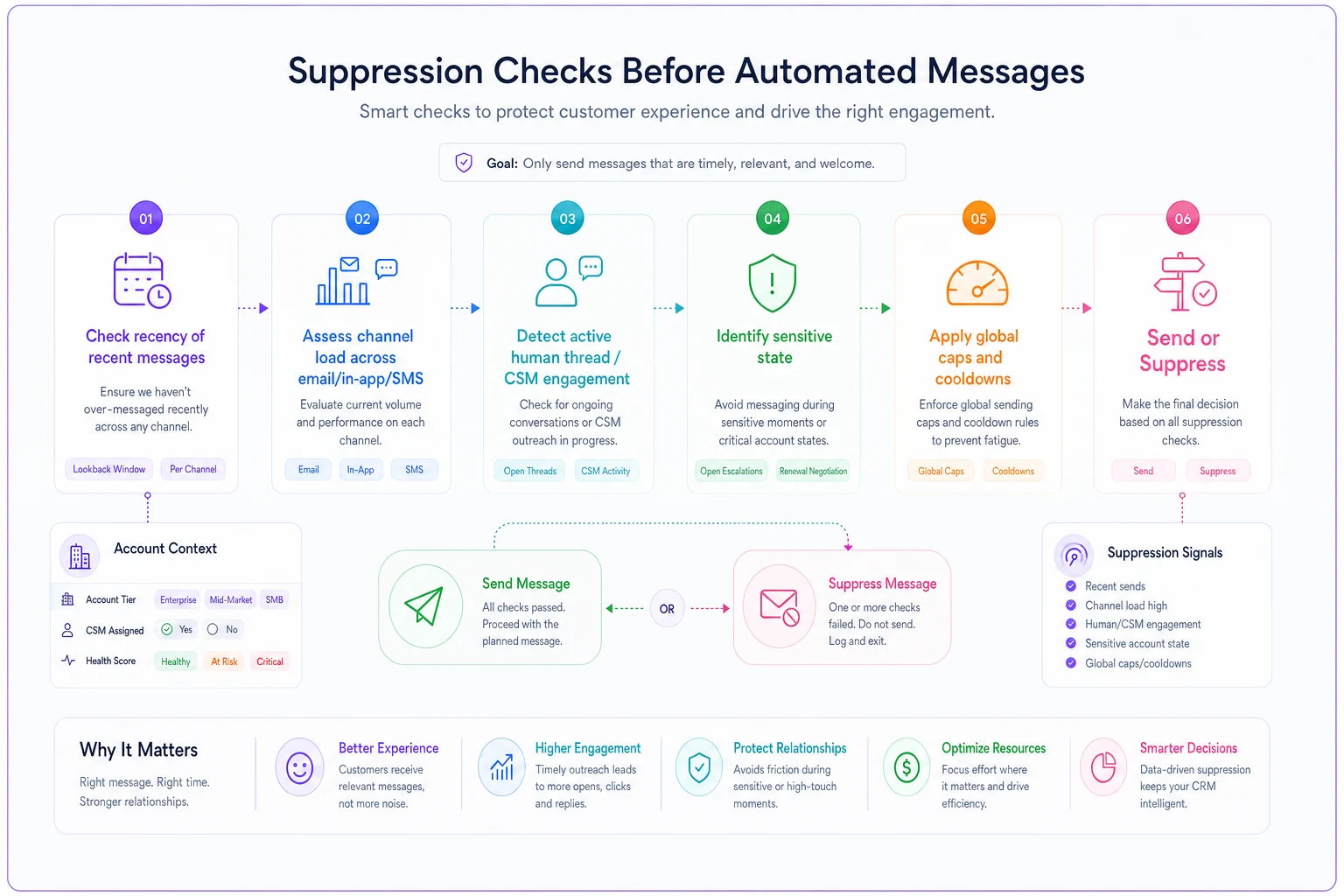
This illustrates the decision points the suppression layer evaluates.
Templated outreach that doesn't read like a template
Consolidation and suppression handle when and how much. Templates handle what. The failure mode here is obvious once you see it: teams write templates for efficiency and lose the one thing that made one-to-one work — relevance.
The fix that holds up at scale is layered templates. A stable skeleton (structure, ask, next step) with a few dynamic slots that get filled from real account data — the feature they actually use most, the milestone they just hit, the specific person on their team who's most active. The skeleton makes it fast; the slots make it feel written for them.
A quick real-world pattern: a mid-market renewal template that just said "your renewal is coming up, let's chat" got roughly a 20% reply rate. The same skeleton, with two dynamic lines pulling in the customer's actual usage trend and the top feature their team adopted, pushed replies into the 40s. Same effort per send once it's wired up. The difference was relevance, not volume.
One thing to avoid: over-templating the sensitive moments. Renewals, risk conversations, and remediation should stay human or at least heavily human-reviewed. Save the full automation for onboarding nudges, adoption tips, and low-stakes check-ins.
Escalation design: the difference between one-to-many and abandonment
The uncomfortable truth about digital-first tiers — if there's no human safety net, "one-to-many" quietly becomes "no one." Escalation design is what keeps that from happening. It's the set of rules that pulls a human in at exactly the moments where automation isn't enough.
Good escalation design ties triggers to tiers. A usage collapse on a Tier 1 account should reach a named CSM the same day. The same signal on a Tier 3 account might just enroll them in a lighter-touch remediation play, with a human stepping in only if that play fails. You're rationing human attention toward the moments and accounts where it actually changes the outcome.
Trigger types worth wiring up:
-
Health-score cliffs — not slow declines, but sharp drops that signal something changed.
-
Sponsor loss — your champion's email bounces or their title changes. This is one of the most predictive churn signals and almost nobody automates detection of it.
-
Support-load spikes — a quiet account that suddenly files five tickets is telling you something.
-
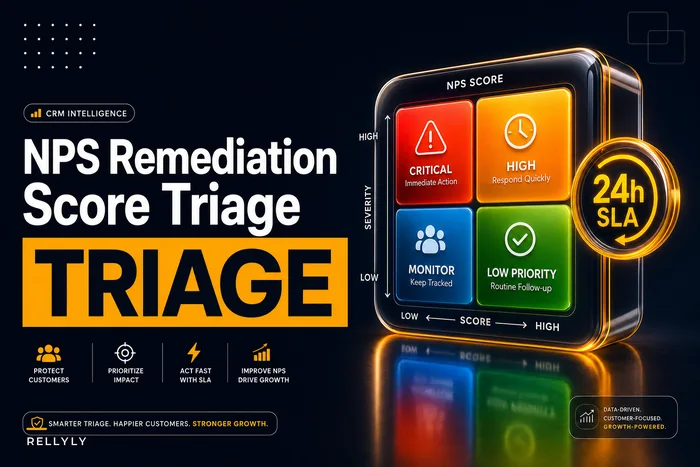
Detractor feedback — negative survey responses should route straight to a human on a tight SLA. The mechanics of that live in our NPS remediation workflow, and the same triage logic applies here — score severity decides how fast and how senior the response is.
The pattern to internalize: automation handles the routine, escalation handles the exceptions, and the whole point of good design is making sure exceptions actually get caught. A one-to-many program with no escalation isn't lean — it's just under-resourced with extra steps.
A real scenario: scaling from 3 to 1 coverage ratio
A B2B analytics company had grown to about 520 accounts with four CSMs and one lead. Every account was theoretically "managed," but in practice the CSMs were spending most of their week on the top 30 logos, and the long tail — a few hundred accounts contributing maybe 35% of ARR — got automated emails and not much else.
The symptoms were textbook. Net revenue retention in the long tail was sitting around the low 90s while the top accounts were fine. Unsubscribe rates on their check-in sequences had crept up to something like 8%, which is high enough that they were actively poisoning their own channel. And churn kept surprising them — accounts would cancel at renewal with no prior flag.
-
Re-tiered on three dimensions instead of just ARR, which moved about 60 accounts out of "high touch" and freed up real CSM hours.
-
Collapsed 30-some sequences down to seven core plays with clear entry/exit rules.
-
Added a global suppression layer — the 2-touches-per-week cap and the hard mute on open escalations.
-
Built four escalation triggers tied to tier, with sponsor-loss detection being the new one.
The results weren't dramatic overnight, but they were real. Unsubscribes on the digital tier dropped back under 3% within two months. Long-tail NRR moved from the low 90s to roughly 98–100% over the following two quarters. And the number of "surprise" churns fell noticeably — most cancellations now had a flag raised at least 30 days out, which meant the team could actually try to save them. The CSMs also just stopped feeling like they were failing everyone at once, which matters more than it sounds.
When this makes sense — and when it doesn't
This whole system is worth building when you've got real scale pressure: hundreds of accounts, a coverage ratio that's clearly broken, and a long tail that's meaningful revenue but can't justify named CSMs. That's the sweet spot.
When it's a bad idea: if you're still under 50 accounts, don't build this. You'll spend weeks designing suppression policies for a problem you don't have yet, and the overhead will slow down the personal relationships that are currently your biggest advantage. Stay one-to-one as long as it's genuinely working.
Who should not do this: teams whose data is a mess. If your health scores are unreliable, your usage data is patchy, and your CRM fields are half-empty, automation will just amplify the garbage. Suppression rules and escalation triggers are only as good as the signals feeding them. Fix the data foundation first — otherwise you're automating decisions on top of numbers nobody trusts.
Bringing it together
The reason one-to-many customer success burns customers isn't the automation itself — it's automation running without a governing layer. Tiering decides who gets what motion. Consolidated playbooks make sure accounts aren't enrolled in five overlapping sequences. Suppression policies keep the total touch load humane and context-aware. And escalation design makes sure the accounts that need a human actually get one.
Those four pieces have to move together. Tiering without suppression floods your low-touch accounts. Suppression without escalation quietly abandons them. Consolidated playbooks without good data just automate bad decisions faster. The teams that scale well aren't the ones who automate the most — they're the ones who built the judgment layer that decides when the machine should stay quiet and when a person needs to pick up the phone. Get that layer right, and you can genuinely cover hundreds of accounts per CSM without any of them feeling like a number.
The reason one-to-many customer success burns customers isn't the automation itself — it's automation running without a governing layer. Tiering decides who gets what motion. Consolidated playbooks make sure accounts aren't enrolled in five overlapping sequences. Suppression policies keep the total touch load humane and context-aware. And escalation design makes sure the accounts that need a human actually get one.
Those four pieces have to move together. Tiering without suppression floods your low-touch accounts. Suppression without escalation quietly abandons them. Consolidated playbooks without good data just automate bad decisions faster. The teams that scale well aren't the ones who automate the most — they're the ones who built the judgment layer that decides when the machine should stay quiet and when a person needs to pick up the phone. Get that layer right, and you can genuinely cover hundreds of accounts per CSM without any of them feeling like a number.
Ready to transform your customer relationships?
Join 2,000+ businesses using Rellyly to increase sales, improve client retention, and simplify CRM workflows.