

Most cross-sell programs fail quietly. The deck says "expansion revenue," the sequence gets built, and three weeks later someone notices the reply rate is sitting at 1.2% and half the accounts that got pitched had open support tickets. Nobody killed the program on purpose. It just leaked relevance until it was noise.
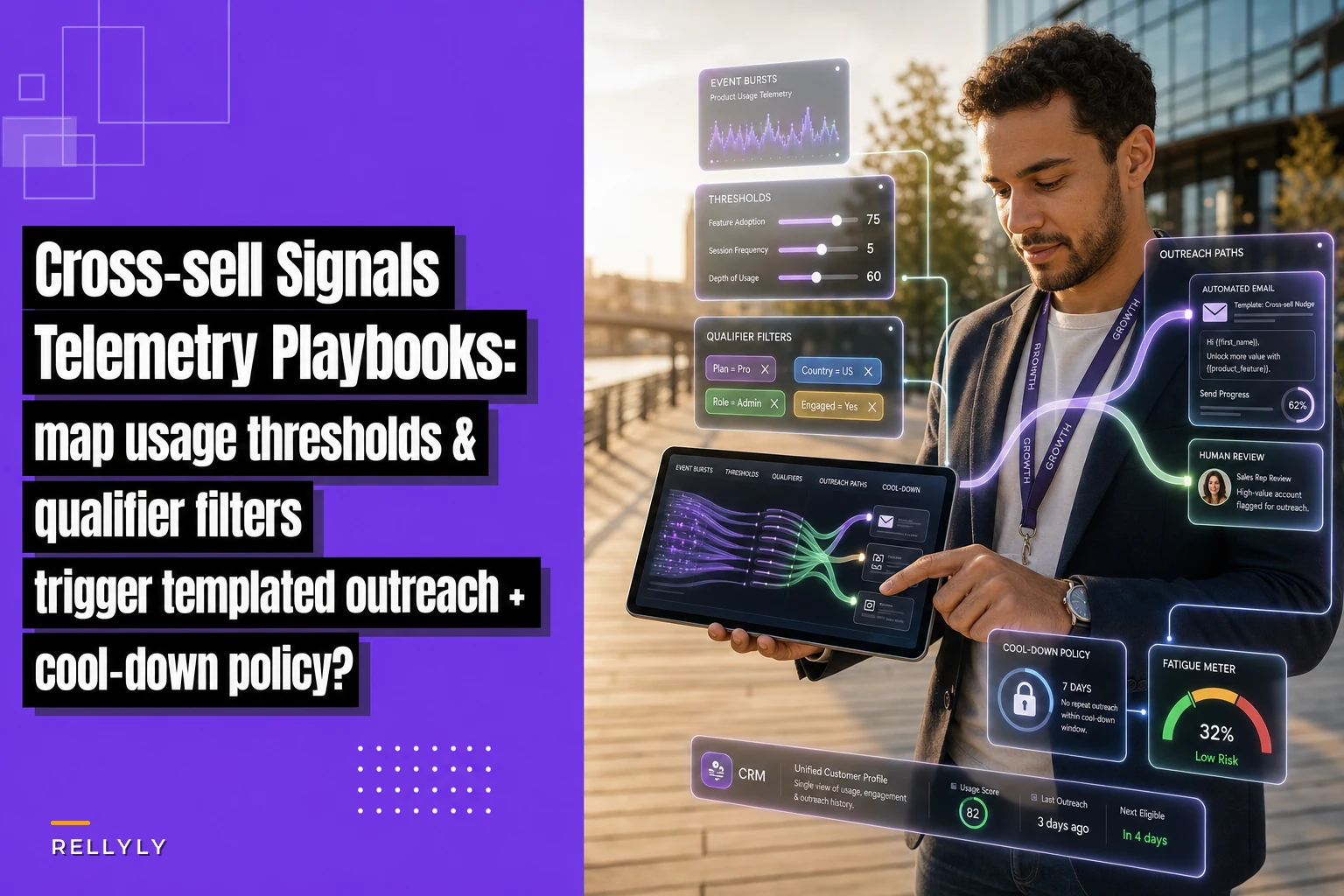
The fix isn't a better subject line. It's wiring the actual signal — what the customer does inside the product — to a specific module pitch, gating it with filters that catch the obvious mismatches, and spacing contacts so you don't torch the relationship. That's the whole chain: telemetry → qualifying filter → templated outreach → cool-down. Break any link and you're back to spray-and-pray with extra steps.
This post walks through that chain concretely, per module, with the thresholds and guardrails that actually hold up in production.
Why usage-based cross-sell beats calendar-based cross-sell
The default pattern in most teams is time-based: "account hits 90 days, send the upsell." It's easy to build and it's almost always wrong, because 90 days tells you nothing about whether the customer has actually hit the wall that your next module solves.
Cross-sell product usage signals flip the logic. Instead of asking "how long have they been a customer," you ask "have they demonstrated the specific behavior that makes the next product obviously useful?" A customer who just imported their 5th data source is a completely different situation than one still poking around a single dashboard — even if they signed on the same day.
The accounts most ready for an expansion pitch are almost always the ones showing friction at the edge of their current plan. They're bumping a limit, exporting data to do something your premium module does natively, or inviting users into a workflow that your add-on was built for. Those behaviors show up in telemetry. Calendar triggers can't see any of it.
One thing that gets missed a lot — usage signals aren't just "high usage = ready to buy more." Sometimes the strongest signal is a workaround. A team manually downloading reports every Monday morning is louder than a team with high login counts, because the download habit is literally the job your reporting add-on does.
The chain, end to end
Before going module by module, here's the structure every cross-sell play should be traceable through:
Never miss a customer touchpoint again.
Rellyly helps you manage contacts, tasks, and sales efficiently in one platform.
- Unified customer profiles
- Automated follow-ups
- Sales pipeline tracking
No credit card required
-
Telemetry threshold — the specific event or count that fires the candidate. Not "active user." Something like "created 3+ automations in 14 days."
-
Qualifying filter — the sanity checks that remove accounts who technically hit the threshold but shouldn't be pitched right now (open escalations, contract constraints, already owns the module).
-
Outreach template — the message mapped to that trigger, referencing the actual behavior, not a generic "we noticed you're growing."
-
Cool-down policy — how long before this account can receive another cross-sell touch, from any module.
The mistake that kills these programs is building stages 1 and 3, then skipping 2 and 4. You end up with technically-triggered emails going to furious customers, and the same account getting pitched three different modules in ten days.
Here's a simple visual of the end-to-end flow you should automate and monitor.
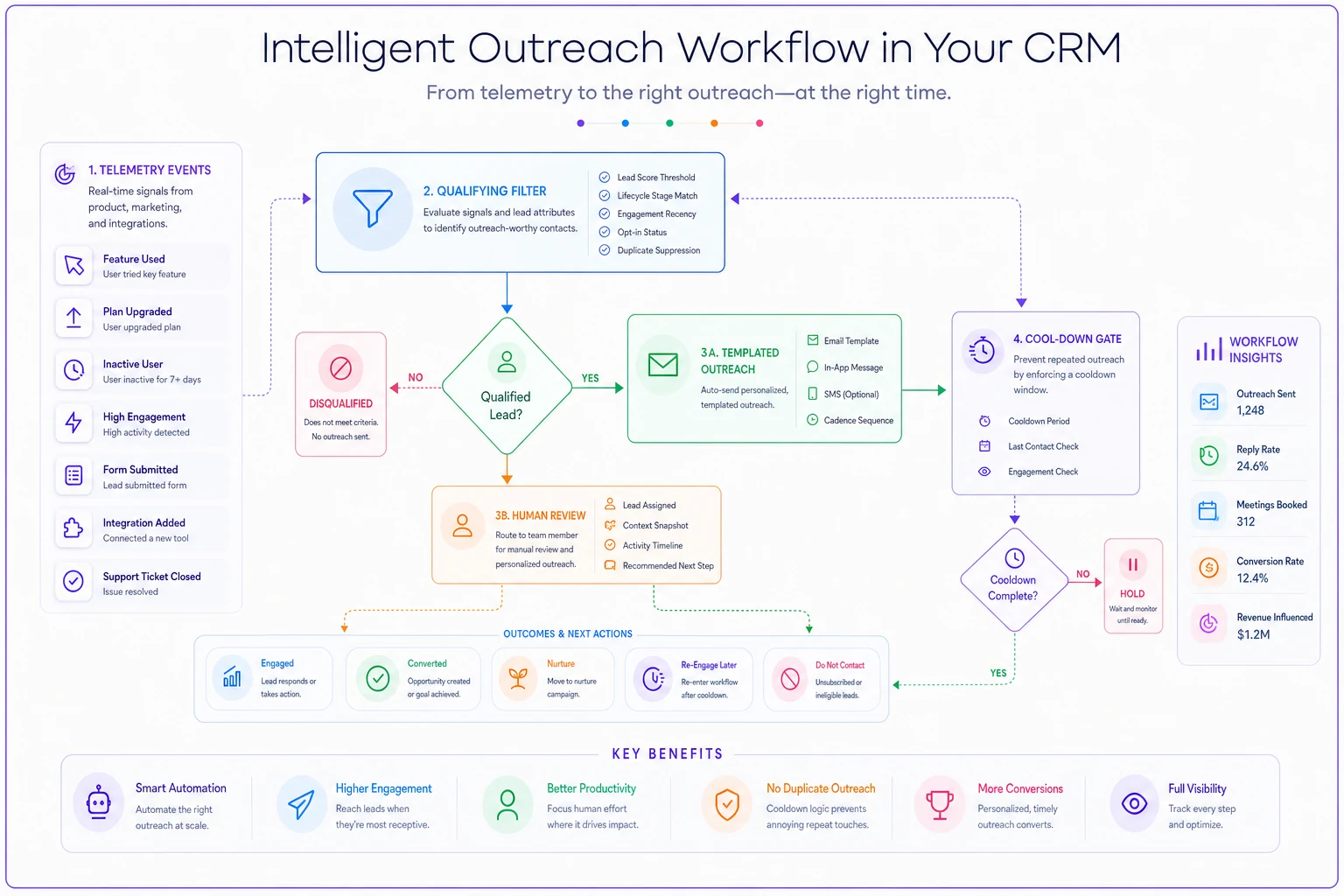
Automate the flow but monitor the gates — the visual above is the dev/ops checklist for the program.
Telemetry thresholds: what actually counts as a signal
The hard part isn't collecting events. It's deciding which event, at what count, over what window, actually means "ready."
A threshold needs three parts: the event, the count, and the window. "Imported a data source" is an event. "Imported 3 data sources in 30 days" is a signal. The window matters more than people usually account for — three imports over two years is a stable customer, three imports in three weeks is a team scaling fast and probably about to hit your connector limit.
Here's how thresholds map per module for a typical multi-module platform:
| Module to cross-sell | Telemetry threshold (event + count + window) | What the behavior implies |
|---|---|---|
| Advanced reporting add-on | Manual report exports ≥ 4 in 14 days | Rebuilding premium reports by hand |
| Automation / workflow module | Created 3+ manual recurring tasks in 30 days | Doing by hand what the module automates |
| Extra seats / team tier | Invited 2+ users who hit the seat cap | Growth blocked by plan limit |
| Integrations pack | Hit API rate limit 2+ times in 7 days | Outgrowing included connectors |
| Premium support tier | 3+ tickets with >24h first-response wait | Support needs exceed current tier |
None of these are "logged in a lot." Volume alone is a weak trigger. The strong triggers are limit-adjacent or workaround-shaped behaviors — the customer is actively doing something your next product makes easier or unnecessary.
A quiet mistake: setting thresholds from product analytics dashboards instead of from actual closed-won expansion deals. Go look at the accounts that bought the module last quarter. What were they doing in the 30 days before they bought? That behavior, at that frequency, is your threshold. Don't build it from theory.
Qualifying filters: the layer everyone skips
This is where programs either stay credible or become spam. The telemetry fires a candidate; the filter decides whether that candidate is actually a good pitch right now.
-
No open P1/P2 support ticket on the account. Pitching an upgrade to someone whose core feature is broken is how you earn a screenshot in their Slack channel.
-
Not already entitled to the module (sounds obvious, breaks constantly when entitlement data lags billing).
-
Health score above your floor — don't cross-sell an account that's quietly churning. Expansion motion aimed at a red account should route to CS, not a sales sequence.
-
No active renewal/negotiation in-flight — don't muddy a renewal conversation with a cross-sell pitch; let the deal desk handle sequencing.
-
Contract allows the add-on — some enterprise agreements bundle or exclude modules; filter those out or you'll pitch something they can't buy without a full amendment.
-
Cool-down not active (more on this below).
The pattern that trips teams up: the filter list exists but lives in someone's head, applied manually, so it gets skipped when volume picks up. The filters have to be automated gates in the trigger logic, not a reviewer's good intentions. If the system can fire 40 candidates a day and a human has to hand-check each one, the checks stop happening by Thursday.
Automate entitlement and cool-down checks hard; leave borderline health-score cases for a quick human review.
For deciding which checks are safe to fully automate versus which ones still warrant a human glance, the logic in our automation decision framework for customer success applies cleanly here — entitlement and cool-down are safe to automate hard; health-score edge cases hovering near your floor are worth a human review.
Outreach templates mapped to the trigger
The template has to reference the behavior, not some milestone. "We noticed you've been growing!" is filler. "Saw your team exported the weekly performance report 6 times this month — the reporting add-on builds that automatically and lets you schedule it" is a reason to reply.
Three things that actually move reply rates:
Lead with the observed behavior. Name the specific thing. It proves you're paying attention and frames the module as solving their problem, not hitting your quota.
Quantify the friction, not the feature. "You're spending roughly 20 minutes a week on manual exports" beats "advanced scheduling capabilities." Translate the telemetry into time or risk the customer actually feels.
One module per message. The temptation to list three add-ons because the account triggered three signals is strong and completely wrong. It reads as a sales dump. Pick the strongest signal, pitch that one, and let the cool-down space the rest.
A workable template for the automation module trigger:
> Subject: the 3 recurring tasks you set up last month > > Hi [name] — noticed your team's been setting up recurring tasks manually (saw a few go in over the last couple weeks). The workflow module handles that pattern automatically — you set the rule once instead of recreating the task each cycle. If it's useful, I can show you the exact setup for the ones you already built in ~15 min. Worth a quick look? Short, specific, references real behavior, one ask. No feature list.
Cool-down policy: the part that protects the relationship
Without a cool-down policy, a scaling account that's firing signals across four modules gets four pitches in two weeks and starts filtering your domain to a folder.
A cool-down policy needs two layers:
Per-account cross-sell cool-down. Once an account receives any cross-sell touch, no further cross-sell outreach for a set window — 21 to 30 days is a reasonable starting point. This is account-level, not module-level. The customer doesn't experience "reporting email" and "integrations email" as separate programs; they experience "that vendor keeps pitching me."
Post-decline cool-down. If they decline or ignore a specific module pitch, that module goes quiet for longer — 90 days is typical. Re-pitching the same module three weeks after a "no thanks" is the fastest way to get unsubscribed.
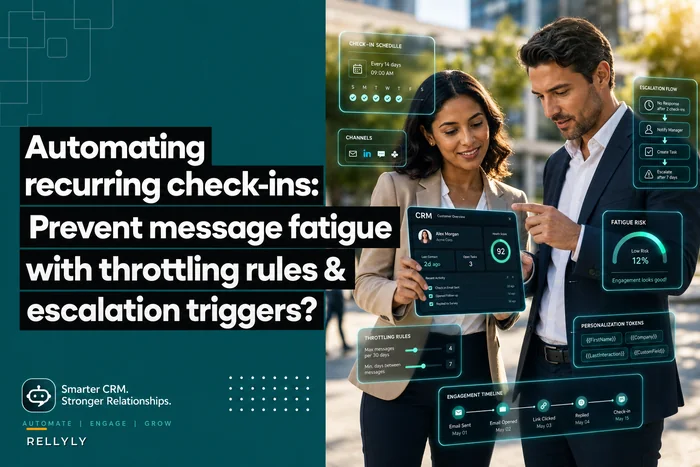
One more rule that matters: cross-sell outreach should respect the same contact's total touch budget across all your automated programs. If CS already has recurring check-ins and nurture sequences hitting that person, your cross-sell pitch is landing on top of other automation they didn't ask for. The throttling logic in automating recurring check-ins without burning customers is the right mental model here — treat the customer's inbox as a shared, limited resource across every automated motion, not just the one you're running.
Teams consistently set a module-level cool-down but no account-level one. Each module behaves politely in isolation, and the customer still gets bombed because nobody's counting total touches.
A real scenario
A mid-market B2B analytics vendor — roughly 400 paying accounts, four sellable modules beyond the core plan — was running calendar-based expansion. Every account got an upsell email at day 60 and day 120. Reply rates sat around 1.5%, and CS was fielding complaints about "random sales emails" landing on accounts still mid-onboarding.
They rebuilt it around usage triggers. Three thresholds to start: manual report exports (reporting add-on), repeated API rate-limit hits (integrations pack), and seat-cap invites (team tier). They layered in the full filter set — open tickets, entitlement, health floor, renewal-in-flight — and a 30-day account-level cool-down plus 90-day post-decline window.
Over the following quarter, the number of cross-sell emails sent actually dropped by a bit more than half, because most of the calendar-triggered sends never had a real signal behind them. Reply rate climbed to somewhere around 7–8%, and the "random sales email" complaints to CS basically stopped. Expansion pipeline grew noticeably even with fewer total touches. The lesson wasn't "send more" — it was "only send when the behavior earns it."
When this makes sense — and when it doesn't
Worth building: you have multiple sellable modules, you can instrument product events reliably, and you have enough account volume that "I know my accounts" expansion doesn't scale. If a seller covers 20 accounts personally, telemetry triggers add less. If they cover 150, this is how they stop missing the ones that are actually ready.
A bad idea: if your product telemetry is incomplete or untrustworthy, don't automate pitches off it. Firing cross-sell emails from flaky event data pitches the wrong people and erodes trust faster than no program at all. Fix instrumentation first.
Who should skip this entirely: teams with a single product and no real add-on to sell. And teams whose health-score data is unreliable — without a dependable health floor in the filter, you'll cross-sell accounts that are actively churning, which is worse than silence.
The quick build checklist
Before turning any of this on:
-
[ ] Pulled last quarter's closed-won expansions and derived thresholds from their pre-purchase behavior
-
[ ] Defined event + count + window for each module trigger
-
[ ] Automated the full qualifying filter set (tickets, entitlement, health floor, renewal-in-flight, contract)
-
[ ] Written one template per trigger that names the observed behavior
-
[ ] Set account-level cool-down (21–30 days) and post-decline cool-down (~90 days)
-
[ ] Confirmed cross-sell respects the shared contact touch budget across CS and marketing automation
-
[ ] Set up a weekly review of triggered-but-filtered candidates to catch bad thresholds early
The last item is the one people consistently drop. Watching what the filters reject tells you as much as what they pass — if you're filtering out 80% of candidates, your threshold is too loose and you're generating noise upstream.
Usage-triggered cross-sell works because it replaces guessing with evidence. The customer already told you what they need by how they used the product. Your job is to notice, check that the timing is fair, say something specific, and then give them room.
Ready to transform your customer relationships?
Join 2,000+ businesses using Rellyly to increase sales, improve client retention, and simplify CRM workflows.