

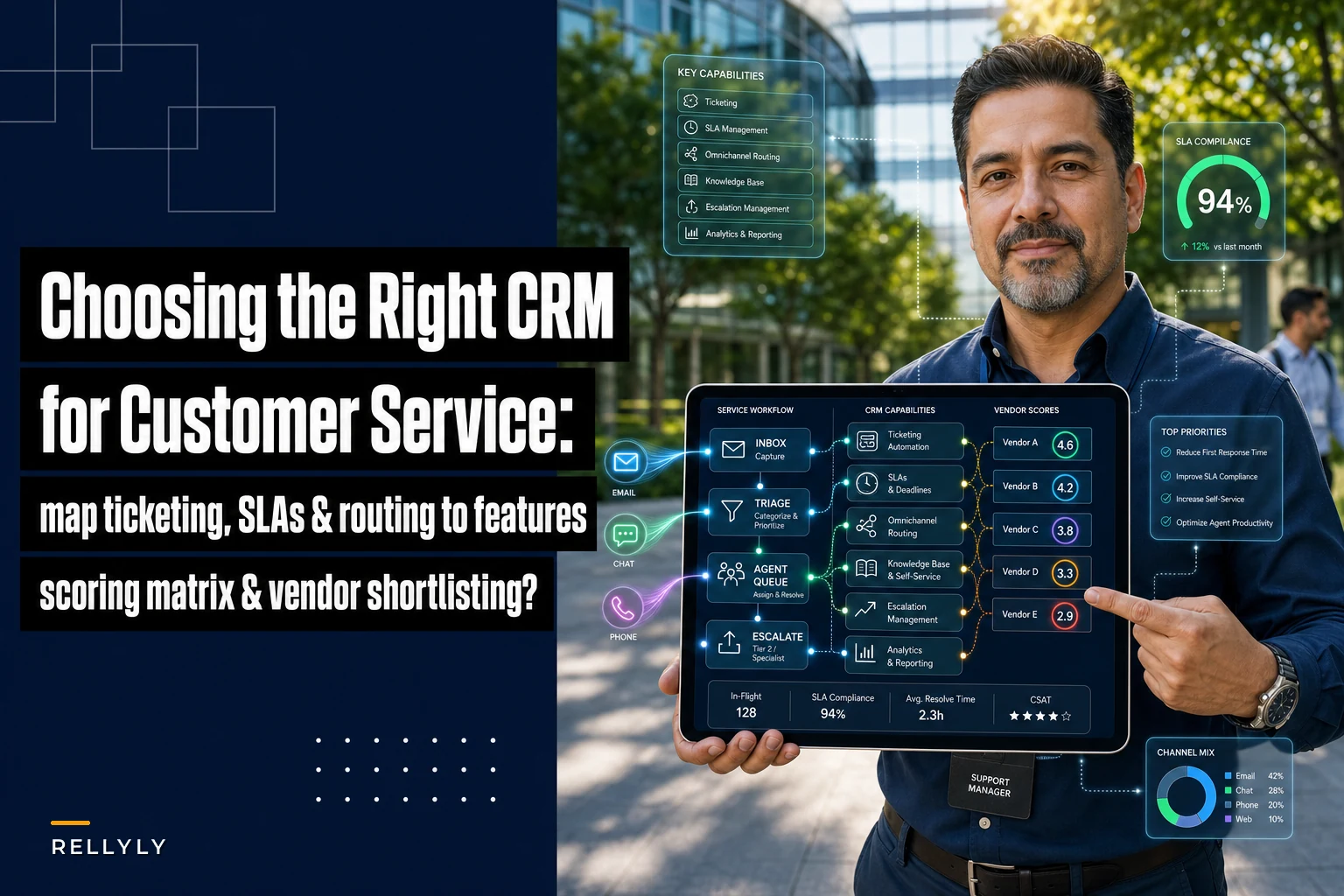

Most CRM buying decisions for support teams go wrong in the same quiet way. Someone watches a slick demo, sees a shiny dashboard, and signs. Six weeks later the support team realizes the thing can't route a ticket based on contract tier, or it treats email and chat as two completely separate universes, or every macro has to be built by someone with admin access. The tool works fine — it just doesn't match how the team actually handles customers.
That mismatch is the real problem this guide solves. Not "which CRM is best" — there's no honest answer to that — but "which CRM fits your support workflows," and how to prove it before you've committed budget and migration hours.
So instead of starting with features, we start with how support actually moves through a day. Then we map those motions to capabilities you can test, score, and defend.
Start with your workflows, not the feature list
Vendors sell features. Support teams run workflows. Those are different languages, and the translation step is where most evaluations fall apart.
Before you look at a single product, write down the 5–7 workflows that eat the most of your team's time. Not the aspirational ones — the real ones. For a typical small-to-mid support org, that list usually looks something like:
-
A customer emails with a billing question → agent needs account history + last 3 invoices in one view
-
A high-tier client reports an outage → ticket must escalate to on-call within minutes, not hours
-
A repeat question comes in → agent wants a saved reply that pulls in the customer's name and plan
-
A bug gets reported → support needs a clean handoff to engineering with reproduction steps
-
A renewal is 60 days out and the account has 4 open tickets → CS needs to see that risk before the call
Each of those sentences hides a CRM requirement. "One view" means a unified customer record. "Escalate within minutes" means SLA timers plus routing rules. "Clean handoff to engineering" means two-way integration with your issue tracker, not a copy-paste ritual.
Teams skip this step because it feels obvious. It isn't. When you force yourself to write the workflows down first, the demo stops being a magic show and becomes a checklist you're verifying in real time.
Force yourself to write the workflows down first and use them as your demo checklist.
A simple way to map workflow → capability
Take each workflow sentence and break it into three columns: the trigger, what the agent needs to see, and what has to happen automatically. Here's a short example:
| Workflow | Agent needs to see | Must happen automatically |
|---|---|---|
| Billing question via email | Account, plan, last invoices, open tickets | Thread merged into existing ticket, not duplicated |
| Outage from top-tier client | Account tier, entitlements, on-call owner | SLA clock starts, escalation if unassigned in 15 min |
| Repeat how-to question | Customer name, product, suggested article | Macro inserts personalized reply with variables |
| Bug report | Prior related tickets, product version | Linked issue created in engineering tool, status syncs back |
Once you've done this for your real workflows, you have the backbone of both your feature checklist and your trial script. Everything downstream references this table.
Here's a simple visual of the workflow-to-capability mapping process.
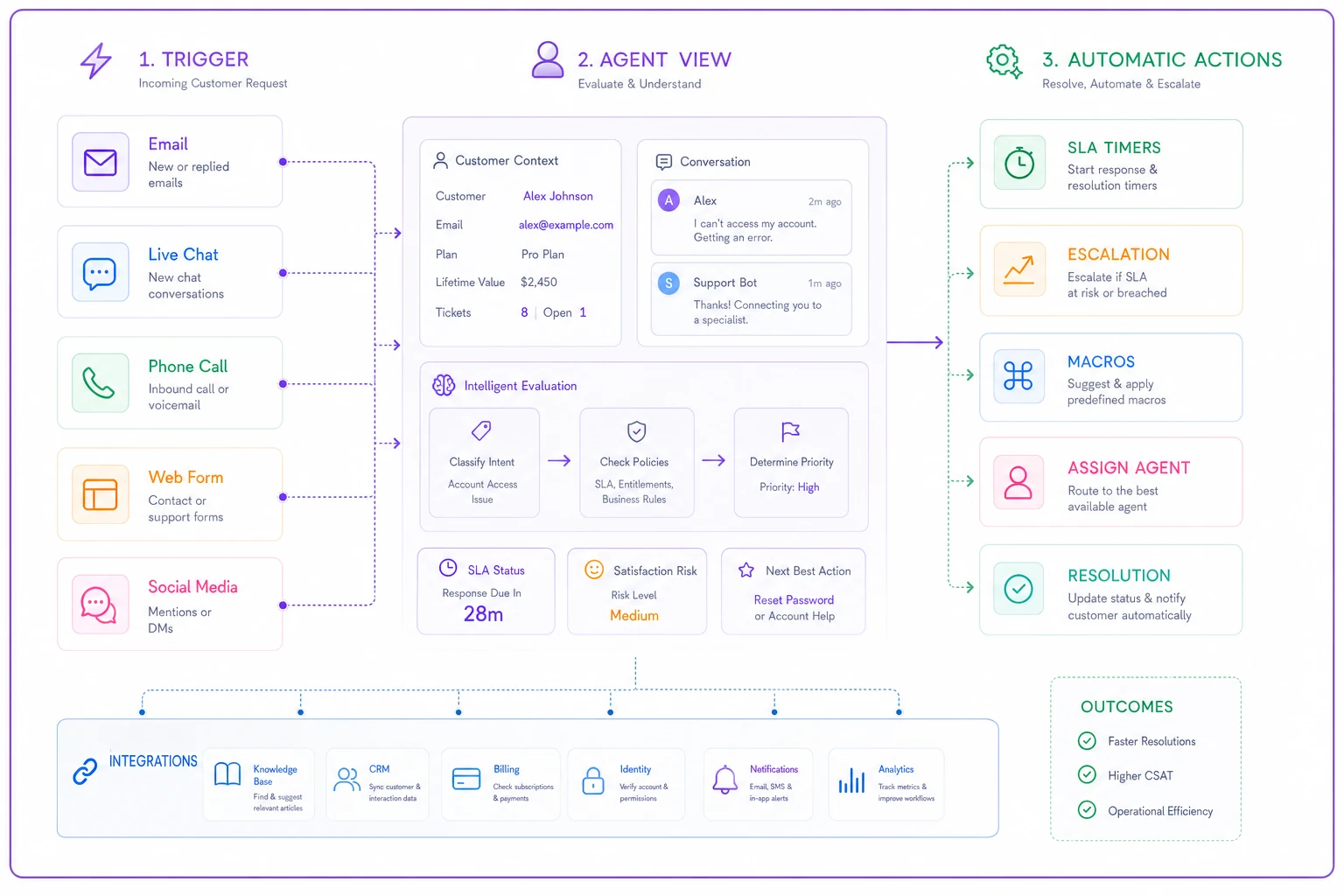
Everything downstream references this table.
The prioritized feature checklist
Not every feature deserves equal weight. The mistake buyers make is treating a feature list like a shopping cart — more checkmarks equals a better product. It doesn't. A CRM with 200 features and bad routing will frustrate your team more than a lean one that nails the basics.
Never miss a customer touchpoint again.
Rellyly helps you manage contacts, tasks, and sales efficiently in one platform.
- Unified customer profiles
- Automated follow-ups
- Sales pipeline tracking
No credit card required
Below is a checklist grouped by priority. Treat the "must-have" tier as disqualifying — if a vendor fails these, stop the evaluation.
Must-have (deal-breakers if missing):
-
[ ] Unified customer record that pulls history across email, chat, and phone into one timeline
-
[ ] Ticket/case management with ownership, status, and clear audit trail
-
[ ] SLA tracking with timers you can configure by tier or priority
-
[ ] Routing and assignment rules (by skill, tier, product, or load)
-
[ ] Macros / saved replies with merge fields for personalization
-
[ ] Reporting on volume, first-response time, resolution time, and backlog
-
[ ] Role-based permissions (not everyone should edit everything)
-
[ ] A real API, not just "we have integrations"
Should-have (strong preference):
-
[ ] Native or deep integration with your issue tracker (Jira, Linear, etc.)
-
[ ] Knowledge base that both agents and customers can use
-
[ ] Automation rules triggered by field changes, time, or events
-
[ ] CSAT/NPS capture tied to specific tickets
-
[ ] Collision detection (so two agents don't answer the same ticket)
-
[ ] Bulk actions for backlog cleanup
Nice-to-have (tiebreakers):
-
[ ] AI-assisted reply drafting and ticket summarization
-
[ ] Sentiment flags on incoming messages
-
[ ] Forecasting on ticket volume or staffing needs
-
[ ] Native telephony or tight CTI integration
A quick note on that last tier. AI-assisted drafting and summarization have gotten genuinely useful — an agent opening a 40-message thread and getting a two-line summary saves real minutes per ticket. But it belongs in "nice-to-have" for a reason: if the core routing and record-keeping are weak, no amount of AI polish fixes the underlying mess. Buy the foundation first.
An evaluation rubric you can actually score
Gut-feel comparisons lose to whoever gave the best demo. A numeric rubric forces the conversation back to your workflows.
Score each vendor 1–5 on the categories below, then weight them. The weights matter more than the scores — they encode what your team actually values.
| Category | Weight | What a 5 looks like |
|---|---|---|
| Workflow fit (your mapped table) | 30% | Handles all 5–7 core workflows with no workarounds |
| Routing & SLA | 20% | Flexible rules, tier-based timers, reliable escalation |
| Integrations | 15% | Native two-way sync with your stack, clean API |
| Reporting | 10% | Answers your actual questions without export gymnastics |
| Admin & maintainability | 10% | A non-engineer can build macros and rules |
| Security & compliance | 10% | Meets your data requirements out of the box |
| Total cost (3-year) | 5% | Predictable, no surprise per-seat or API fees |
Multiply each score by the weight, sum it, and you get a defensible number. The real value isn't the final total — it's the argument that happens when two stakeholders score "workflow fit" differently. That disagreement surfaces assumptions you'd otherwise discover after signing.
Worth flagging: teams consistently over-weight reporting and under-weight admin & maintainability. Then a year in, every small change requires a ticket to the one person who understands the system, and the backlog of config requests quietly becomes its own bottleneck.
Sample RFP and trial questions that actually reveal things
Most RFP questions are useless because they're answerable with "yes." "Do you support SLAs?" Of course they'll say yes. The questions that reveal truth are the ones that force a demonstration or a specific number.
-
"Show me how a ticket from our top-tier customer escalates to on-call if no one picks it up in 15 minutes — build it live."
-
"A customer emails, then replies from a second address. Show me how your system keeps that as one conversation."
-
"Walk me through creating a macro that inserts the customer's name and plan, with no code."
-
"When support links a ticket to an engineering issue, what syncs back automatically, and how fast?"
-
"Export me a report of first-response time by agent for the last 30 days — how many clicks?"
-
"How are API rate limits structured, and what happens to our automations if we hit them?"
-
"If we need to delete a customer's data on request, what's the exact process and how long does it take?"
-
"What breaks when we add a custom field mid-migration?"
That last one is worth asking specifically because the answer tells you how brittle the platform is. A confident vendor shrugs and shows you. A shaky one gets vague.
Insist on building at least one of your real workflows during the trial, with your own test data. The gap between "the demo workflow" and "your actual workflow" is where most buyer's remorse lives.
Integration and security requirements you can't skip
For support CRMs, integration isn't a bonus — it's the difference between one system of record and five disconnected inboxes. The two integrations that matter most are your issue tracker (for engineering handoffs) and your identity/billing source of truth (so agents see accurate account data without tab-hopping).
If you're dealing with engineering handoffs specifically, the mechanics of context packets and triage SLAs matter as much as the connector itself — the integration just makes the handoff possible, not clean.
On security, the non-negotiables for most teams:
-
Encryption in transit and at rest
-
Granular, role-based access control
-
Audit logs for who viewed or changed customer records
-
Data residency options if you have regional obligations
-
A clear, documented data-deletion process (ask them to show it, per the RFP question above)
-
SSO support, so you're not managing a separate password surface
Don't treat security as a checkbox the legal team handles later. A support CRM holds some of your most sensitive customer data — conversation histories, billing details, sometimes personal information. The deletion-and-access mechanics tend to get discovered the hard way, usually the first time a customer invokes a data-rights request and nobody knows which buttons to press.
Pricing considerations beyond the per-seat sticker
Per-seat pricing is the number vendors lead with, and it's almost never what you actually pay. The real three-year cost hides in four places:
-
API and automation volume. Some platforms meter API calls or automation runs. If your workflows are automation-heavy, model this out — a team running thousands of automated actions a day can hit real overage charges.
-
Tiered feature gating. Routing and SLA features sometimes live only in higher tiers. Confirm your must-haves aren't locked behind an upgrade.
-
Add-ons. Knowledge base, advanced reporting, and AI features are frequently separate line items.
-
Migration and implementation. Either you pay the vendor's services team or you pay in your own team's hours. Budget both.
A realistic example: a support team of roughly 12 agents might see a quoted price that looks like $600–$900 a month, then find the real number lands closer to $1,400–$1,800 once SLA routing, the knowledge base add-on, and API headroom get factored in. The sticker wasn't a lie — it just wasn't the configuration you actually need.
The one-page vendor shortlisting matrix
Once you've scored 3–4 finalists, compress everything onto a single page. Decision-makers don't read 20-page evaluations; they read one clean comparison. Here's the shape:
| Metric | Vendor A | Vendor B | Vendor C |
|---|---|---|---|
| Weighted rubric score | 4.2 | 3.8 | 3.5 |
| Must-haves met | 8/8 | 7/8 | 8/8 |
| Key gap | None major | Weak reporting | Clunky admin |
| 3-year total cost | ~$62k | ~$54k | ~$71k |
| Migration effort | Medium | Low | High |
| Trial workflow result | Built cleanly | Needed workaround | Built cleanly |
The "trial workflow result" row should carry the most weight in the room, because it's the only row based on your team actually doing the work rather than reading a spec sheet.
When a lower score is still the right pick
A rubric gives you a number, not a verdict. Sometimes Vendor B scores lower but wins because the migration is trivial and your team is stretched thin this quarter. Sometimes Vendor C's admin clunkiness is a dealbreaker precisely because you don't have a dedicated admin.
Use the matrix to inform judgment, not replace it. A score is a conversation starter — that's it.
A short real scenario
A regional B2B software company with a support team of about 9 agents was running everything through a shared inbox plus a spreadsheet for escalations. Response times for their top-tier clients were drifting — some urgent tickets sat for half a day because nothing flagged them as urgent until a customer complained.
They ran the workflow-mapping exercise first and found their real pain was routing, not reporting — which is what they'd assumed going in. With that clarity, they trialed two CRMs by rebuilding their actual top-tier escalation flow in each. One handled tier-based SLA timers cleanly; the other needed a clumsy workaround. The choice basically made itself.
After rollout, first response time on priority tickets dropped from somewhere around 5–6 hours to under an hour, and the constant "where is this ticket" messages between support and CS mostly disappeared. Nothing dramatic — they just bought the tool that matched the workflow instead of the one with the best demo.
Rollout and vendor-validation steps
Signing the contract is the midpoint, not the finish line. A clean rollout follows roughly this sequence:
-
Validate before full migration. Run your core workflows on real data with a small pilot group for 2–3 weeks.
-
Migrate in stages. Move one channel or one team first. Full big-bang migrations are where data-mapping errors hide.
-
Rebuild your automations deliberately. Don't port every old rule — this is a chance to retire the ones nobody uses.
-
Train by role, not by feature. Agents, leads, and admins need different things. Showing everyone every feature just creates noise.
-
Set a 30-day review. Check whether the metrics you bought the tool to improve actually moved. If first-response time didn't budge, something in the config is off.
For teams who've already chosen their vendor and want ready-made automation patterns — especially for handling disruption-driven support surges — the CRM playbook for customer service during manufacturing supply shocks walks through specific triggers and templates you can adapt rather than build from scratch.
Signing the contract is the midpoint, not the finish line.
The thing most buyers learn too late
The best CRM for customer service isn't the one with the most capabilities. It's the one where your most common workflows take the fewest steps, where a non-engineer can make changes, and where the handoffs your team does fifty times a day just work without copy-paste rituals.
Score the vendors, build the matrix, run the trials on your real data — but hold onto that simple test the whole way through. If an agent handling your busiest workflow has to click six times where they should click two, no amount of feature breadth makes up for it.
Match the tool to the motion, and the rest of the decision gets a lot easier.
Match the tool to the motion, and the rest of the decision gets a lot easier.
Ready to transform your customer relationships?
Join 2,000+ businesses using Rellyly to increase sales, improve client retention, and simplify CRM workflows.