

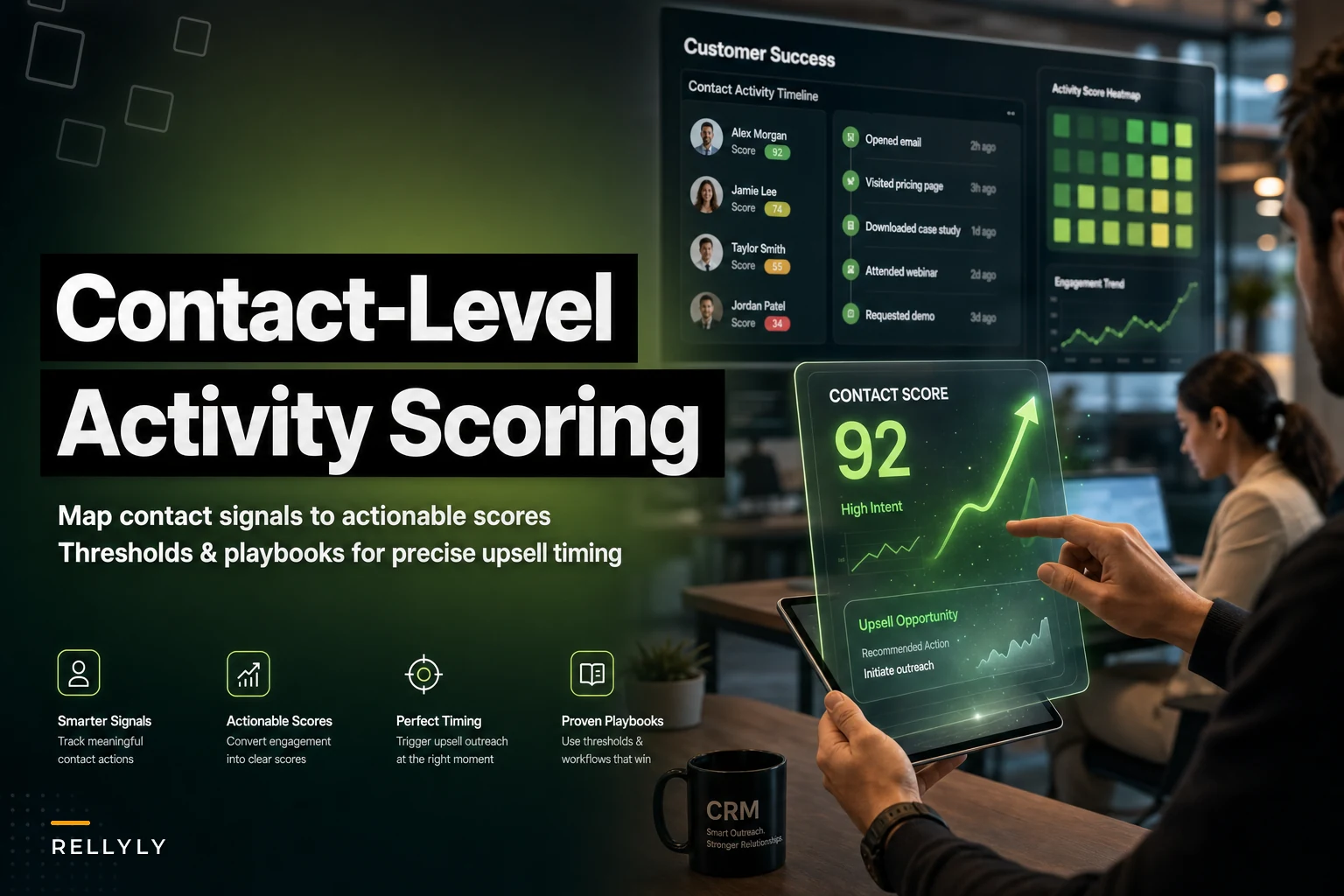

Most upsell timing is guesswork dressed up as strategy. A rep "feels" like an account is ready, or a CS manager notices someone logged in a bunch last week, and suddenly there's an expansion pitch on the calendar. Half the time it lands too early. The other half, the moment already passed and a competitor filled the gap.
The gap here isn't intent data or fancy dashboards. It's that most teams score accounts when the buying energy actually lives at the contact level. One person inside the account is quietly evaluating add-ons at 2am. Another is the economic buyer who hasn't logged in since onboarding. If your score blends them into a single account health number, you lose the exact signal that tells you who to call and when.
This is about building contact-level activity scoring for upsell that's specific enough to trigger a real action — not another vague "engagement is up" note in the CRM.
Why account-level scoring hides the buying signal
Account rollups average everything. That's the whole problem.
Say you sell a project management tool to a 40-seat marketing agency. Your account health score reads "healthy — 82." Underneath that number, three power users are hammering the reporting module, two admins keep hitting a permissions wall, and 31 seats haven't touched the product in three weeks. The 82 is technically accurate and completely useless for deciding your next move.
The upsell signal is almost never the average. It's the outlier. The person filing support tickets about a feature that only exists in your higher tier. The new hire who got added last week and is exploring aggressively. The department head who invited four teammates in two days. Account scoring smooths all of that into noise.
There's a second issue that doesn't get talked about enough. Account scores update slowly because they're built to be stable — you don't want your health metric bouncing around every day. But upsell windows are short. Someone hitting a plan limit is ready now, not next quarter when the rollup catches up. Contact-level scoring moves at the speed of individual behavior, which is the speed expansion actually happens.
The signals that actually predict expansion (and the ones that don't)
Not every action means someone wants to buy more. A lot of engagement is just… usage. The trick is separating routine activity from activity that maps to a specific upgrade path.
Never miss a customer touchpoint again.
Rellyly helps you manage contacts, tasks, and sales efficiently in one platform.
- Unified customer profiles
- Automated follow-ups
- Sales pipeline tracking
No credit card required
Here's a rough breakdown of what tends to matter versus what looks impressive but predicts nothing:
| Signal | Predictive of upsell? | Why |
|---|---|---|
| Hit a plan/usage limit (seats, storage, API calls) | Strong | Direct friction against a paid boundary |
| Viewed pricing/billing page while logged in | Strong | Rare, deliberate, high-intent |
| Explored a locked/premium feature | Strong | Shows demand for something you sell |
| Invited 3+ new users in a short window | Moderate | Account is expanding organically |
| Daily logins, high session count | Weak | Loyalty signal, not buying signal |
| Opened a marketing email | Weak | Passive, easy to overweight |
| Attended a webinar | Weak–moderate | Depends heavily on topic |
The mistake teams make constantly is scoring the weak signals because they're the easiest to track. Email opens and login streaks are sitting right there in every tool. So they get baked into the model, they dominate by sheer volume, and the score ends up rewarding your happiest current customers instead of flagging your best expansion candidates. Those are different people more often than you'd expect.
A power user who logs in every day and loves their current plan is not an upsell target. They're a renewal you shouldn't touch. The person you want is the one bumping into a wall.
Building the scoring model, step by step
You don't need a data science team for this. You need a weighted point system and the discipline to keep it narrow.
-
List every trackable contact-level event. Logins, feature clicks, limit-hit events, seat invites, page views, support tickets tagged by topic. Pull the raw list before you decide what counts.
-
Tag each event by upsell relevance. Go through the list and mark each one as high, medium, or low relevance to a specific expansion path. If an event doesn't map to something you can actually sell, it stays out of the scoring model — track it elsewhere if you want.
-
Assign weighted points. A concrete starting point
limit-hit = 25, premium feature explored = 20, pricing page viewed = 20, 3+ seat invites = 15, support ticket about a gated feature = 15, high login frequency = 3. Notice how far apart those are. Compression kills the model.
-
Add time decay. A pricing-page view from 60 days ago is not the same as one from yesterday. Halve the point value of any signal older than roughly 14 days, and drop signals older than 45 days entirely. Upsell intent is perishable.
-
Set the score to the contact, not the account. Every person gets their own running total. You can roll contacts up to see which accounts have multiple hot individuals, but the atomic unit stays the person.
-
Test against closed-won expansions. Pull your last 20–30 upsell wins and run the model backward. Did those contacts score high in the two weeks before the deal? If not, your weights are off. Adjust and rerun.
That last step is the one people skip, and it's the whole ballgame. A scoring model you haven't validated against real outcomes is just an opinion with math on top.
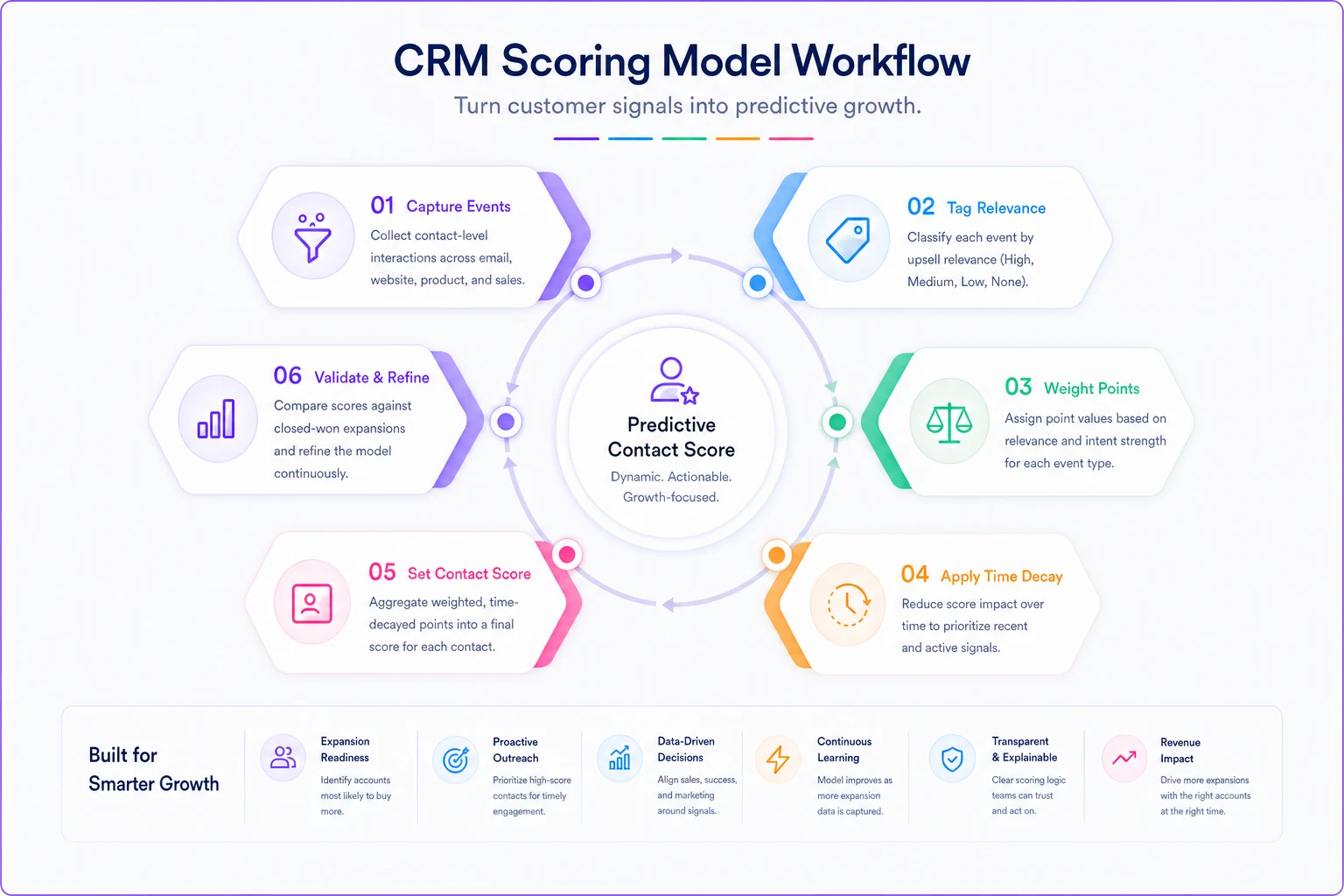
Use this flow as a day-to-day checklist when you're building or tuning the model.
Where to set your thresholds
Points are meaningless without lines that trigger action. Too low and reps drown in false alarms. Too high and you miss the window.
-
Watch (score 20–39) Log it, no outreach. The contact is warming. This tier exists so reps can see momentum building before it hits action territory.
-
Warm (40–64) Soft-touch play. A relevant resource, a check-in, a "noticed you've been using X a lot" message. No hard pitch.
-
Hot (65–89) Direct expansion conversation. Someone owns the follow-up within 48 hours.
-
Urgent (90+) Same-day outreach. Usually means multiple strong signals stacked in a short window — the classic hit-a-limit-then-viewed-pricing combo.
The number that matters most is the Hot threshold, because that's where human time gets spent. Set it too low and your reps stop trusting the alerts after the third dead-end call. Once trust breaks, they ignore the whole system and you're back to gut feel. Guard that threshold and raise it if the false-positive rate creeps up.
Monitor the false-positive rate weekly and raise the Hot threshold if reps report too many dead-end calls.
One pattern worth watching: a single 90-point event and three stacked 30-point events both hit "Urgent," but they mean very different things. The single big event — say, viewed pricing twice in one day — is a sharper signal than slow accumulation. Consider a rule that a limit-hit combined with a pricing-page view jumps straight to Hot regardless of other activity.
Turning scores into playbooks reps will actually run
A score that says "call this person" without saying what to say gets ignored. The score has to carry context into the outreach.
The fix is tying each threshold to a playbook that references the specific signal that triggered it. Generic "just checking in" outreach on a hot contact is a waste — you already know why they're hot, so lead with it.
A workflow that works in practice:
The system detects that a contact at a mid-size customer hit their seat limit on Tuesday and viewed the pricing page Wednesday. Combined score lands at 92 — Urgent. The alert routes to the account owner with the trigger reason attached: "Sarah in Ops — hit 25-seat cap, viewed Team plan pricing yesterday." The rep doesn't open with pleasantries. They open with: "Saw your team's growing — you're maxed on seats. Want me to walk you through the Team plan before you have to turn anyone away?"
-
Limit-hit playbook Lead with the constraint, offer the tier that removes it.
-
Locked-feature playbook Reference the exact feature they tried to use, offer a trial or demo of it.
-
Pricing-page playbook Assume active evaluation, offer to answer questions directly rather than pitch.
-
Seat-expansion playbook Congratulate the growth, frame the upgrade as removing future friction.
This is also where a modern CRM or customer platform with automation earns its keep — not by making the decision, but by watching the signals continuously, updating scores in real time, and dropping the right playbook and trigger reason in front of the right rep before the window closes. The judgment stays human. The tedious signal-watching, which no rep does reliably at scale, gets handled in the background.
A real scenario
A ~30-person B2B analytics company was doing upsell the usual way — quarterly account reviews where a CS lead eyeballed usage dashboards and flagged "expansion candidates." They'd surface maybe 8–10 accounts a quarter, and closed roughly 2–3 expansions from that list.
The problem showed up in the timing. When they dug into a handful of lost expansion chances, the pattern was ugly: contacts had hit plan limits weeks before the quarterly review, gotten frustrated, and either downgraded their usage or started shopping. By the time the review flagged them, the moment was gone.
They rebuilt around contact-level scoring — limit-hits and premium-feature exploration weighted heavily, logins weighted near zero, two-week decay on everything. Instead of a quarterly list, hot contacts surfaced within a day or two of the triggering behavior.
Over the next two quarters, outreach volume went up modestly but the win rate on those conversations roughly doubled, because reps were catching people at the friction point instead of long after. Expansion revenue landed somewhere in the range of 20–30% above their prior baseline. Nothing explosive — but it came almost entirely from timing, not from finding new accounts.
When this makes sense — and when it doesn't
This makes sense when:
-
You have clear paid boundaries (seats, usage tiers, gated features) that generate friction events.
-
You can actually track contact-level behavior, not just account-level.
-
Your expansion motion involves human outreach where timing matters.
This is a bad idea when:
-
Your product is a single flat plan with nothing to upsell into. There's no path to score toward.
-
Your contact-level data is a mess — half your users share logins or aren't attributed to real people. Garbage signals produce confident, wrong alerts.
-
You're running a fully self-serve PLG motion where users upgrade themselves. Then the play is removing friction from the in-app upgrade flow, not routing alerts to reps.
Who should hold off: teams that haven't nailed their basic usage tracking yet. Scoring on incomplete or misattributed data is worse than not scoring, because it looks rigorous and quietly sends reps chasing ghosts. Get clean contact-level event data first, then build the model on top of it.
The part most teams get wrong
The temptation is always to add more signals, more weights, more sophistication. Resist it. The strongest contact-level scoring models are aggressively simple — a handful of high-intent, friction-based signals, heavily weighted, with fast decay. Everything else dilutes the thing you're actually trying to catch: a specific person, hitting a specific wall, right now.
Score the outlier, not the average. Weight the friction, not the loyalty. And make sure every alert your reps get comes with the reason attached, so the outreach starts where the buyer already is instead of five steps behind them.
Score the outlier, not the average. Weight the friction, not the loyalty. And make sure every alert your reps get comes with the reason attached, so the outreach starts where the buyer already is instead of five steps behind them.
Ready to transform your customer relationships?
Join 2,000+ businesses using Rellyly to increase sales, improve client retention, and simplify CRM workflows.